Black Friday 2026 Marketing: Bio Links, QR & Short URLs
Plan Black Friday and holiday marketing in 2026 with a link-in-bio hub, QR codes, short URLs, UTM tracking and practical ideas for small businesses.

Black Friday marketing in 2026 works best when every promotion has a clear destination. A link-in-bio page organizes your offers, a QR code connects physical touchpoints to those offers, and a short URL gives each campaign a memorable, trackable route. Together, these three tools help small businesses, creators and marketers move shoppers from discovery to action without sending them through a maze of unrelated links.
Black Friday falls on Friday, November 27, 2026, followed by Cyber Monday on November 30. Many businesses also plan for November's 11.11 shopping promotions and December gifting. This practical guide shows how to build a campaign hub with Wsla.to, connect online and offline channels, and measure which placements earn attention. It focuses on approaches you can actually use—not promises of guaranteed sales.
Black Friday and holiday marketing dates for 2026
- November 11 (Wednesday): 11.11 shopping campaigns in many markets.
- November 27 (Friday): Black Friday 2026.
- November 28 (Saturday): Small Business Saturday in the United States.
- November 30 (Monday): Cyber Monday 2026.
- December: gift guides, seasonal offers, shipping cutoffs and local celebrations; confirm dates with your fulfillment partners.
In Bahrain and other MENA markets, plan around your customers' local shopping habits, language and delivery expectations. For a regional business, December may also include local national celebrations. Do not assume that a US shopping calendar exactly matches your customers' buying behavior. Verify your own offer deadlines, time zones, stock and shipping promises before announcing them.
Calendar references: Black Friday 2026 date and Cyber Monday 2026 date.

The three-part campaign system: bio link, QR code and short URL
1. Your link-in-bio is the central holiday campaign hub
Instead of changing your Instagram or TikTok bio every time a deal changes, use one Wsla profile as the stable destination. Put the most timely offer first, then show gift categories, best sellers, appointment booking, contact details and relevant social channels. A shopper should understand what you are selling and how to act within seconds.
A simple holiday link order might be: Shop Black Friday Offers → Gifts Under Your Budget → Today's Featured Item → Ask Us on WhatsApp → Store Location and Opening Hours. Keep the labels specific. If an offer ends, remove or archive its link rather than sending new visitors to an expired deal.
2. QR codes connect physical marketing to the same journey
Add a Wsla QR code to your storefront window, counter card, packaging insert, pop-up stall, event sign or printed flyer. A phone scan should lead to a mobile-friendly page with the promised offer immediately visible. Test scans from a normal viewing distance in both bright and dim conditions, and never sacrifice contrast just to match a color palette.
Use different QR destinations or campaign URLs for different placements when attribution matters. A poster can point to your seasonal Wsla page; a product tag can point to the relevant product or collection. If you expect to change an offer after printing, verify the specific QR type and destination-editing capabilities before distribution.
3. Short URLs make campaign links easier to share and measure
A short URL is useful when a customer sees your promotion in a caption, email, digital billboard, business card or spoken video. A clean short link is easier to repeat than a long URL with many tracking parameters. Use Wsla's short URL tools to organize campaign destinations and compare performance where the relevant analytics are available.
See a real Wsla link-in-bio example
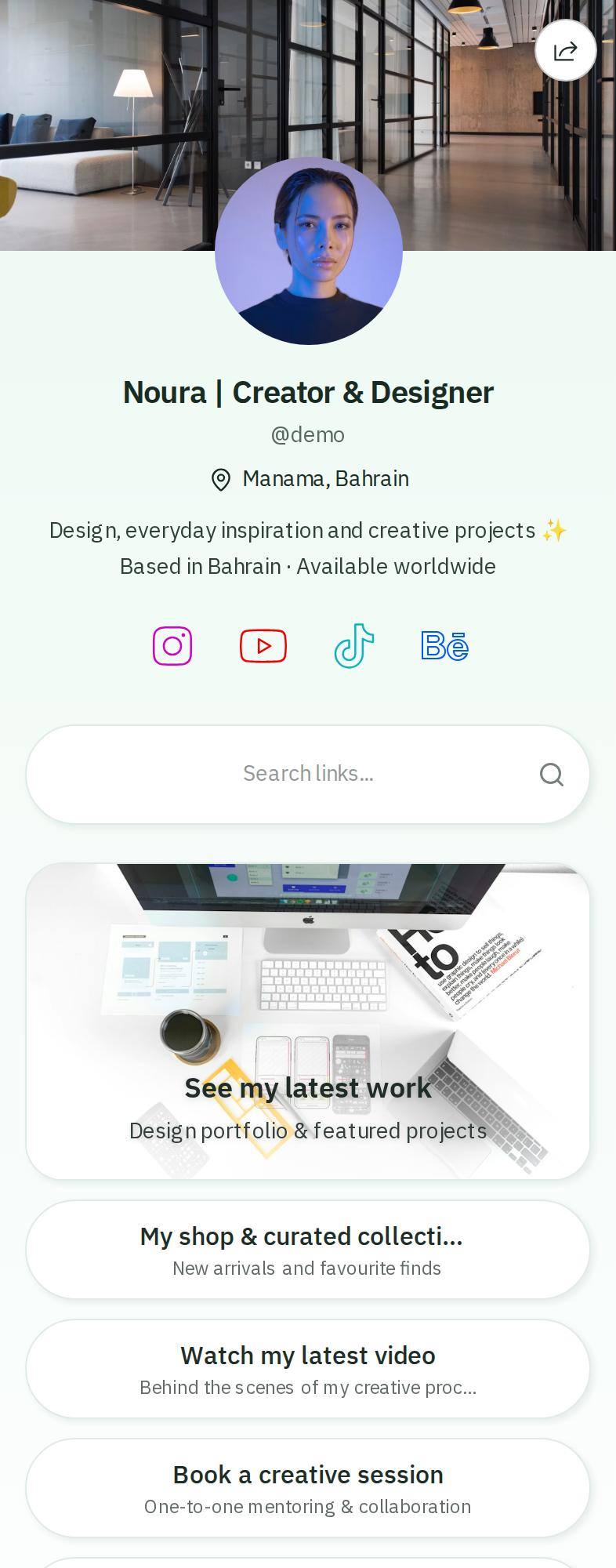
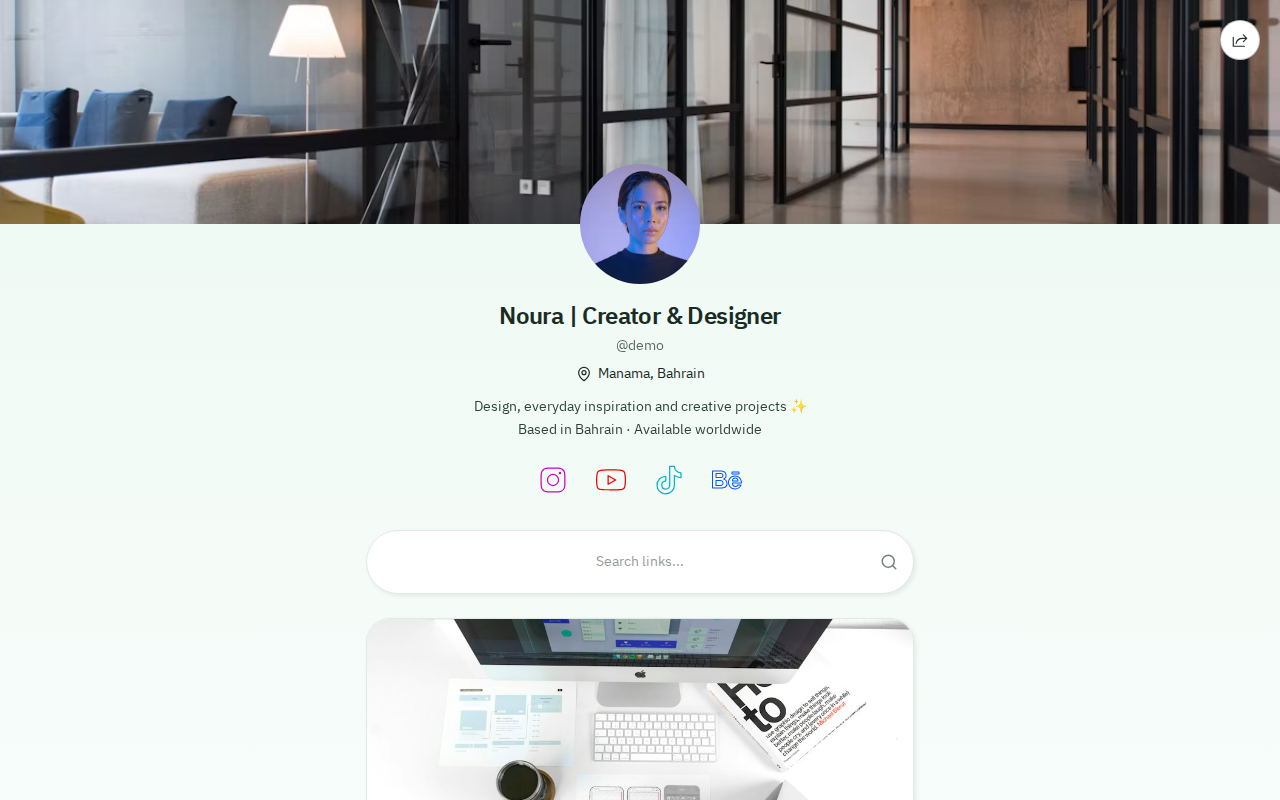
The following screenshots were captured directly from the public Wsla demo profile. It is an example profile, not a real retailer's Black Friday offer. Use its layout as a starting point: keep your strongest seasonal call to action above the fold, group supporting links, and make the page comfortable to browse on mobile.
On desktop, the same profile gives customers a consistent home for campaign links. But your primary quality check should still be on a phone, where social media traffic often arrives.
How to launch a Black Friday campaign with Wsla: step by step
- Define one primary outcome: orders, bookings, enquiries, coupon redemptions or email signups.
- Create or update your Wsla profile. Add a recognizable logo, short description and clear seasonal CTA.
- Add the live offer destination first, followed by category links, helpful information and direct contact.
- Choose a branded theme and readable button colors. Preview on small screens.
- Generate a QR code for printed materials and test it on both iOS and Android.
- Create short URLs for your campaign placements; use descriptive names that will still make sense next month.
- Add UTM parameters where supported, then check analytics and your actual store or booking conversions.
- Schedule the campaign changeover on your marketing calendar; after the offer ends, update or archive outdated links.
For a first-time setup, see our step-by-step Wsla link-in-bio guide. You can also build campaign tracking URLs with the Wsla UTM Campaign URL Builder.
Five holiday campaign ideas for small businesses and creators
Retail boutiques: turn the storefront into a shoppable journey
Place a QR code beside a seasonal display with a message such as “See the full holiday collection.” The Wsla page can show categories like gifts, new arrivals and limited-time bundles. Use short links for Instagram stories and creator collaborations so shoppers arrive at the offer they were promised.
Restaurants and cafés: promote seasonal menus and reservations
Print a QR code on table cards or takeaway packaging linking to your current seasonal menu, reservation page and hours. If your holiday offer has a limited redemption period, state the start and end time clearly. Your Wsla page can also include map directions and contact links.
Independent creators: promote products, bookings and collaborations
A creator can place one bio link behind holiday digital products, merchandise, commission slots or a collaboration portfolio. Put the paid or time-sensitive offer at the top and include useful trust signals below it. Avoid claiming an integrated checkout unless your chosen payment flow is actually configured.
Beauty and service businesses: capture last-minute bookings
Feature a “Book a Holiday Appointment” button and a concise list of available services. Add WhatsApp or phone contact as a secondary action for customers with questions. QR codes on counter signs and printed appointment cards can lead to the same updated information.
Local markets and pop-ups: measure physical-to-digital interest
Each stall, flyer or packaging insert can send visitors to a dedicated campaign URL. Compare the resulting link clicks with completed enquiries or purchases to understand which placements are worth repeating.

Track the channels that matter with UTM parameters and analytics
To measure the campaign, decide what a successful visit means. Wsla can report profile activity and link engagement; your checkout, booking or CRM system is the source of truth for completed sales. Keep these metrics separate: a link click is not the same as a purchase.
For example, label the Instagram link with utm_source=instagram&utm_medium=social&utm_campaign=black_friday_2026. For a printed flyer use utm_source=flyer&utm_medium=qr&utm_campaign=black_friday_2026. Where supported, use distinct campaign links for different creators or shops instead of reusing the same destination everywhere.
- Profile visits: how many people arrived at your central campaign page.
- Link clicks and click-through rate: which holiday action gained attention.
- Traffic sources and devices: where visitors originated and how they browsed.
- Orders, booking confirmations or qualified enquiries: what actually converted in your sales system.
- Campaign cost and revenue: whether the placement was commercially worthwhile.
A useful review cadence is before launch, 24 hours after launch, during Cyber Monday, and once the holiday period closes. Compare equivalent dates and avoid declaring a winner from tiny numbers. For a deeper guide, explore more Wsla marketing articles.
Your 2026 holiday campaign checklist
- One clear audience, goal and offer for each campaign.
- Correct dates, terms, stock availability, shipping and return policies.
- A fast, mobile-friendly Wsla link-in-bio page with the main CTA first.
- A scannable QR code with enough whitespace and contrast.
- Short URLs and consistent UTM naming for priority channels.
- Landing pages that match the promise of your post, poster or email.
- A quick test of all destinations before spending on ads or printing.
- A plan to update or archive expired offers and report campaign performance.
Common holiday marketing mistakes to avoid
- Sending every ad to a generic homepage instead of the relevant deal.
- Hiding the offer below dozens of social icons and unrelated links.
- Printing an untested QR code too small or with poor contrast.
- Assuming QR scans or link clicks equal completed sales.
- Launching promotions without confirming inventory and delivery deadlines.
- Reusing identical campaign URLs across every channel, making attribution impossible.
- Leaving expired Black Friday banners online well into December.
- Using unverified urgency claims such as “only two left” when stock information is unknown.
Frequently asked questions
When is Black Friday 2026?
Black Friday 2026 is Friday, November 27. Cyber Monday is Monday, November 30. Businesses can also prepare early November campaigns and December holiday promotions.
What is a Black Friday link-in-bio page?
It is a single mobile-friendly profile linking to a business's current Black Friday deals, product categories, contact options and other buying information. The same URL can be used in social media bios throughout the season.
How do QR codes help holiday marketing?
QR codes let people move from a printed sign, packaging or physical display to a digital promotion using a phone camera. They work best when the destination is immediately relevant, fast and easy to navigate.
Why use short URLs for Black Friday campaigns?
Short URLs create compact, shareable addresses for promotion links. With separate links and consistent tracking parameters, they can help teams understand which channel or creative drove visits.
Can I measure Black Friday sales through Wsla analytics?
Wsla helps measure views, clicks and related traffic engagement. Confirmed purchases and revenue should be checked in your store, payment or booking system and reconciled with campaign tracking.
Can Wsla work for Arabic and English holiday campaigns?
Yes. Wsla supports Arabic and English, making it useful for businesses serving bilingual audiences in Bahrain, Saudi Arabia, the UAE and across MENA. Check that your destination pages, offers and customer service also match the audience language.
Make every holiday touchpoint lead somewhere useful
Successful holiday marketing is not about adding more links everywhere. It is about reducing friction: one trustworthy campaign hub, QR codes that bridge offline and online, short URLs that are easy to share, and analytics that show where customers engage. Build that system before Black Friday, keep it relevant through Cyber Monday and December, and measure real customer outcomes rather than vanity metrics.
Ready to prepare your 2026 holiday campaign? Create your Wsla.to profile, organize your seasonal offers, and share them through one smart link-in-bio page.
Keep reading

Get the Wsla newsletter
One short email, every Friday. Product updates, creator stories, and growth playbooks.