How to Create a Free link-in-bio with Wsla: Step-by-Step Guide
Create a free Wsla link-in-bio page step by step: build your profile, add smart links, customize themes and fonts, connect social accounts, preview, share, and improve performance with analytics.
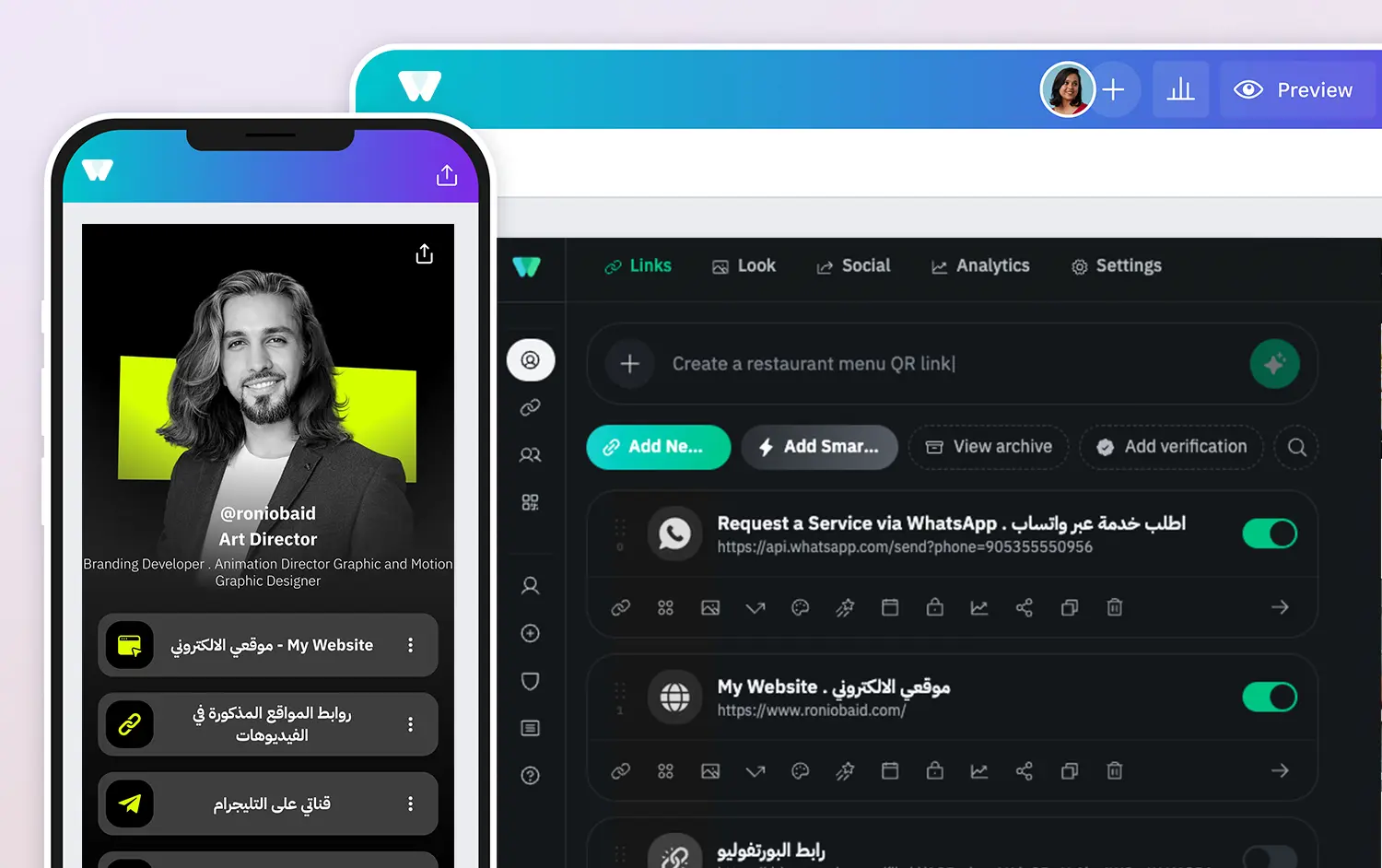
A link-in-bio page is one simple page that brings your most important links, social accounts, content and contact options together behind a single URL. If you use Instagram, TikTok, YouTube, X, LinkedIn or several platforms at once, it gives your audience one clear place to decide what to do next.
This guide shows you how to create your first Wsla profile from start to finish. You do not need to build a website or write code. By the end, you will have a mobile-friendly page you can place in your social media bio, share directly, or connect to a QR code.
Create your free Wsla page in seven steps
- Create an account and choose your profile username.
- Add your main links and give each one a clear title.
- Put your most important action first.
- Choose a theme and personalize your page.
- Connect your active social accounts.
- Preview the page and test every link.
- Copy your profile URL and add it to your bio.
What you need before you start
You can start with very little. Prepare a profile name, a short description, a profile image or logo, and the links you want people to visit first. For a creator, that might be your latest video, portfolio and contact link. For a business, it might be your shop, WhatsApp, location and current offer.
- A name or brand name people will recognize.
- A clear profile image, portrait or logo.
- Three to five priority links.
- Your main social media accounts.
- A short sentence explaining who you are or what you offer.
Step 1: Create your Wsla profile
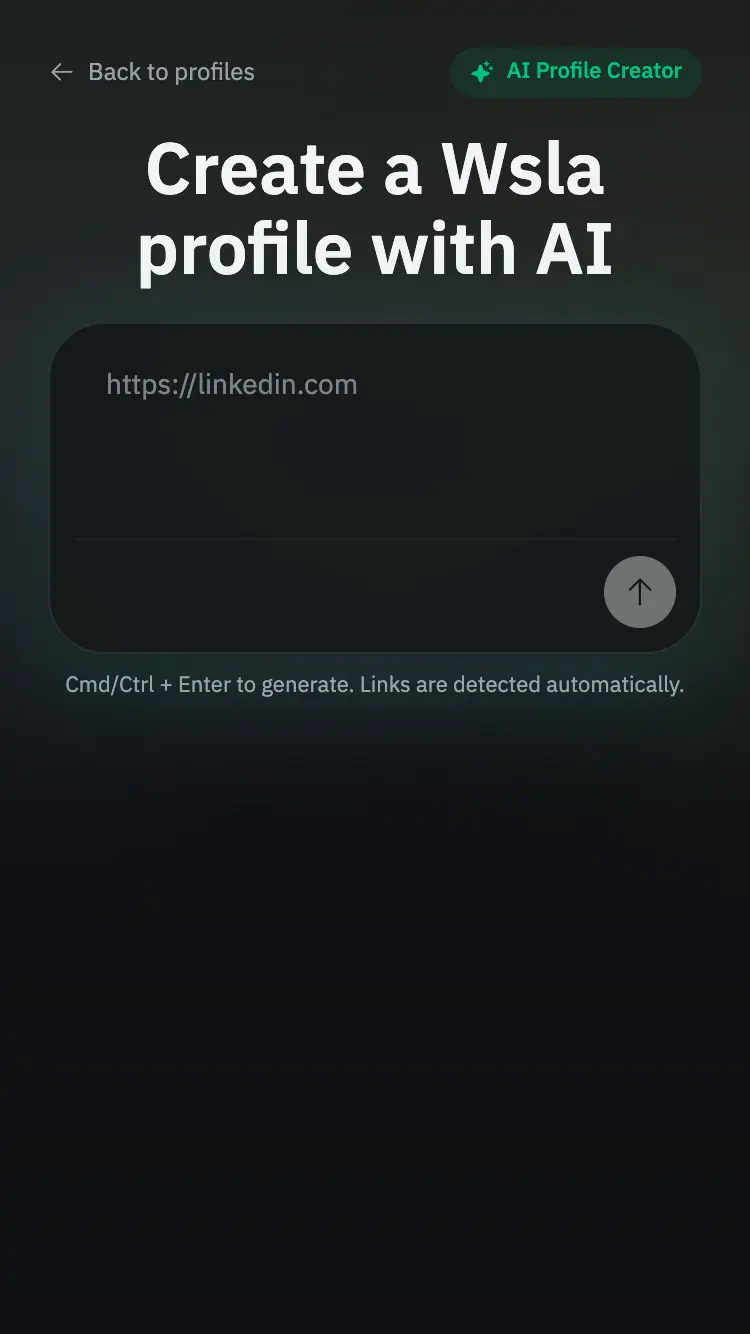
Start by creating a new Wsla page at wsla.to/admin/new. Sign in or register if needed, then complete the basic profile information. Your Wsla profile becomes the page you manage from the admin dashboard. Prefer a faster start? You can also create a Wsla profile with AI at wsla.to/admin/ai-new, where AI can help you build the first version of your page before you refine it.
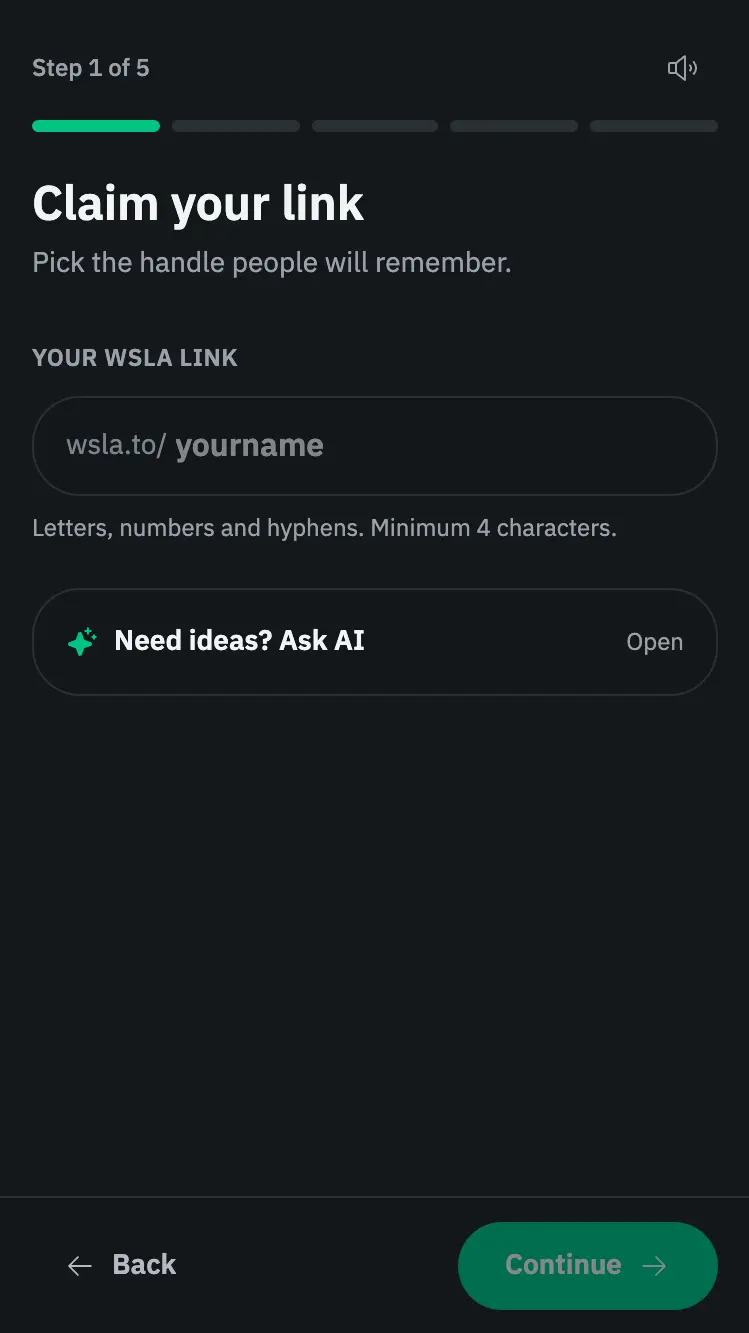
Choose a profile name that is easy to recognize and keep your bio short. Visitors should understand what the page is about within a few seconds. If you are a creator, say what you create. If you are a business, say what you sell or the main action you want customers to take.
Step 2: Add your first link
Open the Links section in your Wsla admin. Choose Add link, then add a title and destination URL. The title should describe the result of clicking, not simply repeat the website address.
For example, use “Watch my latest video”, “Shop the new collection”, “Book an appointment”, “View my portfolio” or “Message us on WhatsApp”. These phrases tell visitors exactly what they will get.
Wsla also supports more than a basic URL. Depending on what you need, your page can include richer link and content types such as WhatsApp, email, video, maps, files, contact cards, countdowns, RSS feeds, galleries and other smart blocks. You do not need all of them on day one.
Explore Smart Links: Open Add Smart Link to choose the best format for your content or goal. Available options include WhatsApp, email, phone, video, maps, image galleries, music, countdowns, contact cards and more. Pick the type that matches what visitors should do next.
Step 3: Organize your links for faster decisions
Think of your Wsla page as a small menu. The first screen should answer three questions: who are you, what do you want visitors to see, and what should they do next? Put the most valuable action first, then supporting links below it.
- Primary action: your latest offer, content, booking page or shop.
- Trust or discovery: portfolio, about page, featured content or reviews.
- Contact: WhatsApp, email, phone or booking.
- Social accounts: the platforms where visitors can follow you.
Avoid adding several links that lead to almost the same place. Fewer choices make it easier for visitors to act. You can always add, archive, reorder or update links later as your priorities change.
Step 4: Customize the look of your page
Open the Look section to shape the visual identity of your profile. You can start with ready-made Wsla themes at wsla.to/themes, then personalize the page further. Change your background and brand colors, choose fonts, adjust button styles, use accent colors to highlight important links, and add link animations when you want a specific action to stand out. Start with your profile image or logo, then keep the whole page visually consistent.
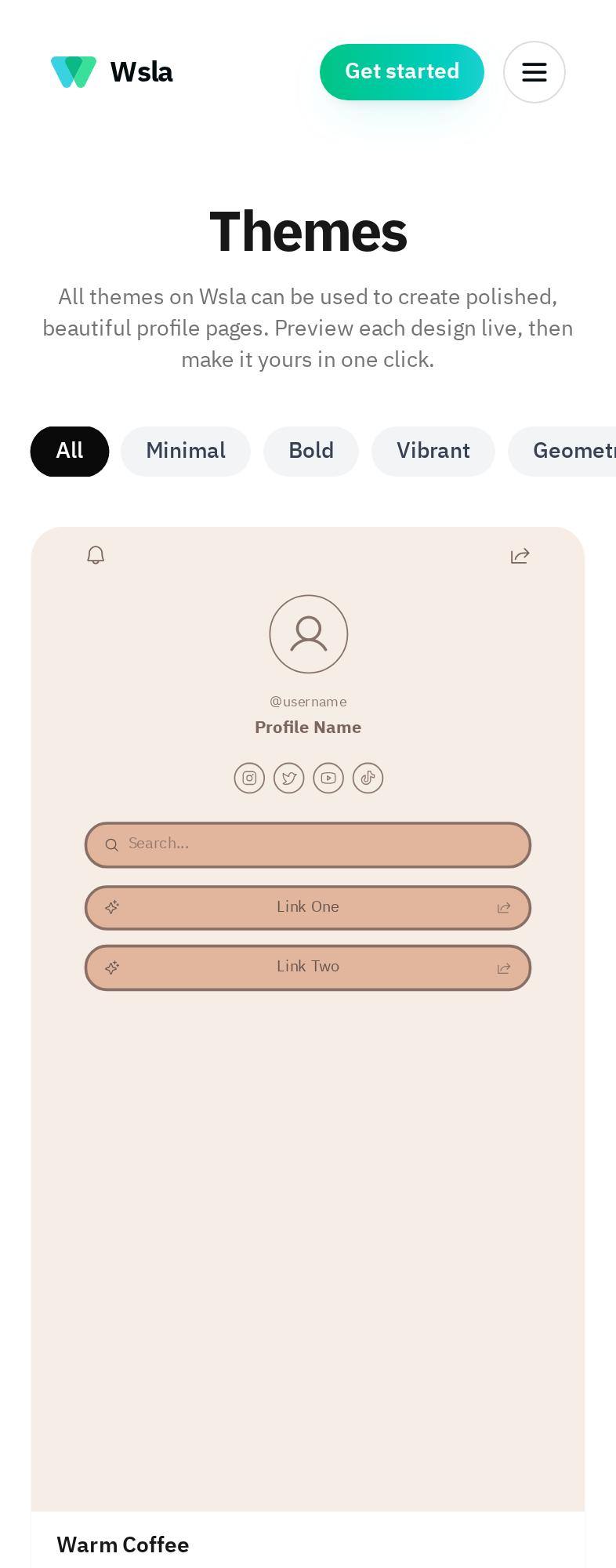
Do not make every element compete for attention. Strong contrast, readable text and consistent colors matter more than adding many visual effects. Your page will often be opened on a phone, so test it at mobile size.
Step 5: Add your social media icons
Your Wsla profile can include social icons so visitors can move directly to your main channels. Add only the accounts you actively use, enter the correct profile URLs, and arrange them in the order that matters to your audience.
You can also change how the social icons look. Wsla supports different visual styles as well as size, corner treatment and position controls, so the same Instagram, TikTok, YouTube or other icons can match very different profile designs. Keep the treatment consistent with the rest of your page instead of making the social row feel like a separate design.
Step 6: Preview your page before sharing it
Before putting your Wsla URL in your bio, open the live preview and test it as a visitor. Tap every important link. Check your profile image, headings, social icons and button labels. Make sure the first screen communicates your purpose without requiring visitors to scroll too far.
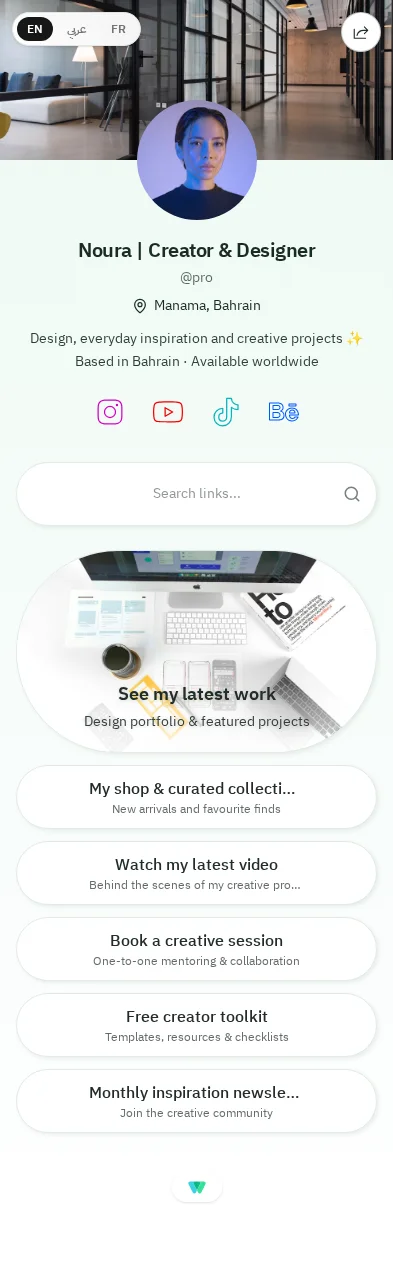
- Test every important URL.
- Check the page on a phone.
- Confirm that Arabic and English text display naturally where you use them.
- Make sure your most important action is easy to spot.
- Remove old or duplicate links.
Step 7: Share your Wsla profile everywhere
Once the page is ready, copy your Wsla profile URL and add it to your social media bios. You can also use it in messages, email signatures, campaign posts, printed material or a QR code. The goal is to make one reliable destination easy to find wherever your audience discovers you.
What should you put on your first link-in-bio page?
The answer depends on your goal. A creator trying to grow an audience needs a different page from a restaurant trying to drive bookings. Start with the action that matters most, then add only what helps the visitor complete that journey.
For creators and influencers
- Latest or best-performing content.
- YouTube, TikTok, Instagram or other priority social channels.
- Portfolio or media kit.
- Business enquiries or contact link.
- Current collaboration, product or offer.
For small businesses
- Shop or product catalogue.
- WhatsApp or direct contact.
- Location or map.
- Booking or appointment link.
- Current offer, menu, campaign or important announcement.
Common mistakes to avoid
- Adding too many links before deciding what the page is supposed to achieve.
- Using vague button labels such as “Click here”.
- Uploading low-quality or badly cropped profile images.
- Using colors with poor text contrast.
- Leaving outdated campaigns or broken URLs live.
- Adding every social network even when you no longer use it.
- Forgetting to test the page on mobile.
Use analytics to improve the page after launch
Publishing your page is the beginning, not the end. Wsla analytics can help you understand profile views, link clicks and other audience activity. Use that information to decide which links deserve a stronger position, which content attracts attention, and what you can remove.
A simple habit is to review your page whenever you launch a new offer, publish an important piece of content or notice that your priorities have changed. Your link-in-bio page should stay current instead of becoming an archive.
Frequently asked questions
What is a link-in-bio page?
A link-in-bio page is a mobile-friendly page that collects multiple destinations behind one URL. It is commonly used from social media profiles where you want one link to lead visitors to several useful actions.
Can I create a Wsla profile without coding?
Yes. Wsla is designed so creators and businesses can build and manage their profile without writing code or building a separate website.
Does Wsla support Arabic?
Yes. Wsla supports Arabic and English and is designed with bilingual use in mind, including right-to-left experiences where relevant.
How many links should I add?
There is no single perfect number, but your first page should be easy to scan. Start with the few links that matter most, then expand only when additional choices genuinely help your visitor.
Can I change my Wsla page later?
Yes. You can continue updating your links, appearance and other profile settings as your content, campaigns and business needs change.
Build your first Wsla page
A strong link-in-bio page does not need to be complicated. Give visitors a clear introduction, put your most important action first, keep the design readable, connect the channels that matter, and improve the page as you learn what your audience clicks.
Ready to build yours? Create your Wsla profile at Wsla.to and turn one link into a clearer home for your digital presence.
Keep reading


Get the Wsla newsletter
One short email, every Friday. Product updates, creator stories, and growth playbooks.